Looking for the best free photo vault app on iPhone usually turns into a lesson in what "free" means: some free apps show ads, some give you five photos and then ask for a subscription, and one genuinely free option is already on your iPhone. This guide sorts out what you actually get at $0, what the trade-offs are, and how to check any free vault app in about five minutes.
What the best free photo vault app really offers
Before comparing apps, it helps to know which kind of free you're looking at:
- Genuinely free, built in. Apple's Hidden album costs nothing because it's part of iOS. It hides photos from the main library, but it doesn't lock them, and it doesn't stop iCloud from syncing them.
- Free with limits. Many vault apps let you store a small number of photos, or use basic features, then charge for more storage or for the lock. The app is free; the vault you want usually isn't.
- Free trial, then subscription. The most common model. You get a week or a month, then a recurring charge. If you cancel, some apps keep your photos hostage behind the paywall — check the terms before importing anything you can't re-create.
- Free to try, paid once. Rare, but it exists: a full-featured trial followed by a one-time purchase, with no subscription. That's SheMi's model — covered below, because "free" and "worth paying for" are different questions.
The genuinely free option: Apple's Hidden album
Open Photos, pick a photo, tap the share button, choose Hide. (For a full breakdown of every hiding method, see six methods ranked.) The photo disappears from the main library, search, and widgets, and moves under Albums → Hidden. On iOS 16 and later you can require Face ID to open that album (Settings → Photos → Use Face ID).
That is a real privacy improvement for casual situations, and it costs nothing. Its limits are structural, though:
- The file stays in your photo library. Hidden is a flag, not a separate vault.
- If iCloud Photos is on, hidden photos still sync to iCloud.
- Apps with full photo-library access can still read them.
- Anyone who knows your passcode can open the Hidden album.
If those four limits matter to you — borrowed phones, shared devices, cloud copies — the built-in option is not enough. That's the point where a dedicated vault app starts to make sense.
Free tiers of vault apps: what to check before importing
Most vault apps on the App Store offer a free tier. The free tier is fine for testing the interface; the question is what happens to your photos when the trial ends. Four checks cover most of the risk:
- Where do the files live? A vault that stores photos in its own sandbox is doing the real work. One that "hides" photos still sitting in your photo library is a cleanup tool with a lock screen.
- Does it need an account or a server? Check the App Privacy label. Ads, analytics, and cloud sync are the opposite of private — especially for an app whose entire promise is privacy.
- What happens after the free period? Can you still view and export your photos? If the answer is "pay or lose access", that's rent on your own memories.
- Can you get everything out? Export to the camera roll, to Files, or to a computer — without a subscription gate on the exit.
How SheMi fits (and what it costs)
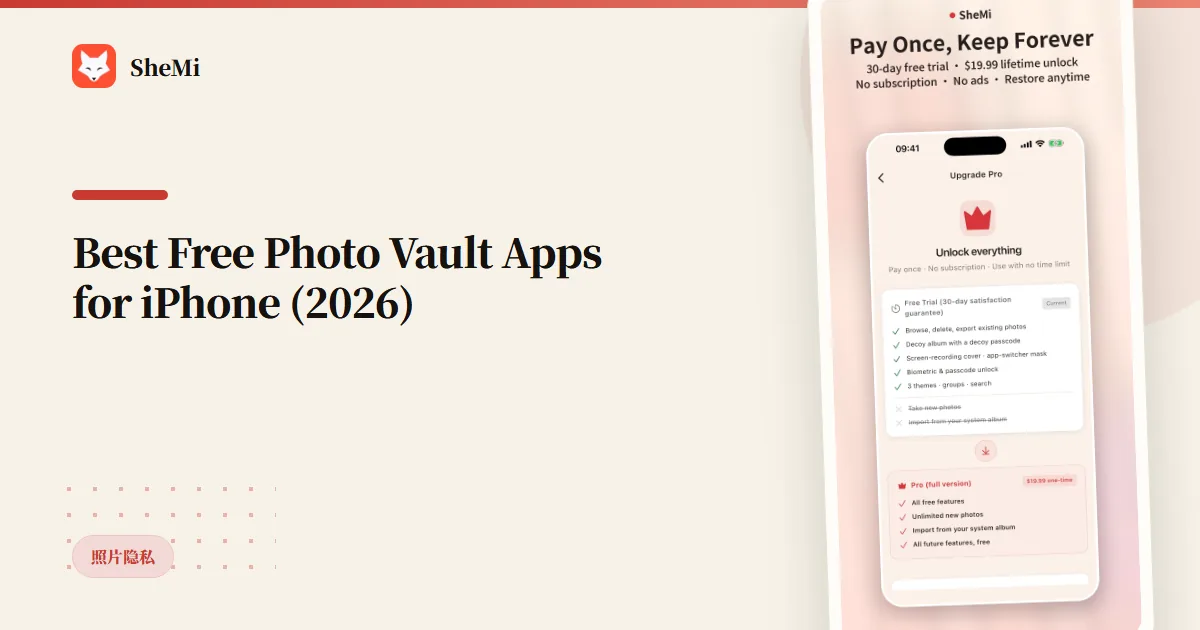
SheMi is not a free app, and pretending otherwise would waste your time. It's a private camera and vault with a 30-day full-feature trial, then a one-time purchase of US $19.99 — no subscription, no renewal.
What that buys, compared with free tiers:
- Photos never enter the camera roll. Shots go straight into the app sandbox, excluded from iCloud backup. There's nothing to "hide" afterward.
- No account, no ads, no analytics SDK. The app works fully offline; network use is limited to the App Store purchase.
- Passcode + Face ID, plus a decoy album. A second passcode opens an ordinary-looking album, so a borrowed phone shows something believable.
- Export is always open. Save to the camera roll, ZIP to a computer over Wi-Fi, or Save to Files — even after the trial, viewing and exporting stay free.
If you only need to tidy your library, the built-in Hidden album is free and sufficient. If you need a vault that free apps can't really provide — no sync, no account, its own lock — a one-time purchase is usually cheaper than a year of subscription rent.
Free vs paid at a glance
| Hidden album (free) | Free tier of a vault app | SheMi (trial, then $19.99) | |
|---|---|---|---|
| Photo leaves the photo library | No | Usually yes | Yes — never enters it |
| iCloud sync | Yes | Depends on app | Excluded |
| Own lock | Optional Face ID only | Often paid-only | Passcode + Face ID |
| Decoy album | No | Rare | Yes |
| Account required | No | Often | No |
| Export after trial | Always | Varies — check terms | Always |
| Cost after year one | $0 | Subscription, often recurring | $0 more |
Frequently asked questions
Is there a completely free private photo vault on iPhone?
The Hidden album is the only genuinely free option, and it's not a vault — photos stay in your library and sync to iCloud. Free vault apps are usually trials with limits. Anything that offers a real sandbox, no account, and its own lock has to be paid for somehow; the honest models are one-time purchase or subscription.
Are free vault apps safe to use?
It depends on the app, not the price. Check the App Privacy label for data collection, look for an account requirement, and read what happens to your photos when the free period ends. An app that shows ads or syncs to a server is collecting something — that's the business model.
What happens to my photos if I stop paying for a vault app?
It varies, which is exactly why you should check before importing. Some apps let you view and export but stop accepting new photos; others lock the vault entirely. Before committing irreplaceable photos, export a test batch and confirm you can get it back out.
Does SheMi have a free version?
A 30-day full-feature trial, then a one-time purchase at the US launch price of $19.99. After the trial, only taking new photos locks — browsing, viewing, and exporting stay free with no time limit. There is no subscription.
Start with the free option if your needs are simple. If you are comparing structures rather than price, the five checks for a private photo vault go deeper. If you've decided free can't give you the vault you want, compare the checks above rather than the star ratings — and remember that "free" in this category usually means "free until you import the photos that matter."