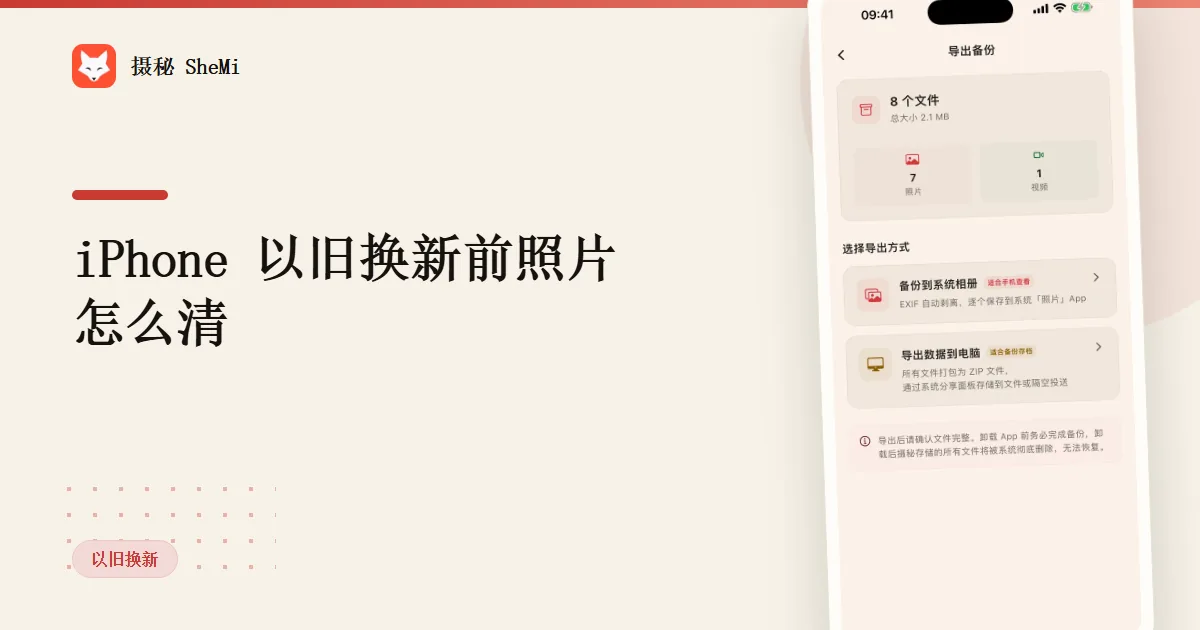
Wipe iPhone before trade-in, and the path you choose decides whether your photos "follow" the phone — not with you, but to whoever handles it next. And remember the phone is not the only copy: iCloud keeps its own until you delete it separately. Apple Trade In and third-party buyback programs run completely different data flows: one wipes the phone in front of you, the other often wants to inspect it first. Here's the difference, and a ten-minute checklist for handoff day.
Wipe iPhone before trade-in: two buyback paths, two data flows
| Factor | Apple Trade In | Third-party buyback |
|---|---|---|
| Where | Apple Store or mail-in | Store, courier, or door-to-door |
| When it's wiped | You're guided to Erase All Content and Settings before handoff | Most want the phone still bootable at handoff — some need to "inspect" it first |
| Inspection | Hardware only (screen, battery, camera) — no content access | May include unlocking and function tests — some ask you to unlock before handing over |
| Data responsibility | Apple receives an empty phone | Depends entirely on your pre-handoff work |
In one sentence: Apple's process is wipe-then-collect; third-party buyback is collect-then-wipe. The window in between is where the risk lives. That's why Apple's trade-in page makes erasing the first step, not an option.
What "inspection" at a third-party store really reads
Legitimate buyback inspections check that Apple ID is signed out, the OS version, screen and buttons. The problem isn't that every merchant steals data — it's that:
- Your photo library, notes, and chats have no encryption barrier once the phone is unlocked — anyone holding it sees everything;
- During an "in-person inspection" you can't watch the screen every second; swiping to Photos takes one tap;
- Even with an honest merchant, the phone passes through several hands between handoff and the wipe (store → warehouse → testing center), and every hand is a risk point;
- Some programs ask you to disable the passcode "for testing" — refuse. That turns the phone into an open book. Insist on wiping first, then talk recycling.
So the real rule for third-party buyback isn't "find a trustworthy merchant" — it's make sure there's nothing left worth snooping before you hand it over.
The ten-minute handoff checklist (both paths)
- Export what you want to keep: back up to your new phone or computer first. See our encrypted backup guide for the safest path.
- Sign out of iCloud and Apple ID: Settings → Apple Account → Sign Out. If you don't, the buyer can't wipe the phone — and Find My disputes begin.
- Turn off Find My iPhone: signing out of Apple ID prompts this automatically.
- Erase All Content and Settings: Settings → General → Transfer or Reset iPhone → Erase All Content and Settings. This is the security boundary — after a wipe, recovery is impractical for ordinary buyback operations.
- Confirm the wipe: the "Hello" setup screen is your receipt. If a merchant asks you to hand over the phone still on, or "switched off, not wiped" — find another buyer.
For sensitive photos specifically, check all three doors afterwards: Photos, Recently Deleted, and the Hidden album should all be empty.
A common blind spot: iCloud isn't "the phone"
Erasing the phone feels final, but two things survive it:
- iCloud Photos is separate: wiping the phone doesn't touch cloud photos. That's what you want for photos following you to the new phone — but if some should truly disappear, delete them from iCloud Photos before the wipe;
- Old device backups linger: Settings lists a backup per device. Your old phone's iCloud backup can survive the wipe, still containing every pre-wipe photo. Delete it if you no longer need it.
So a complete clean has three layers: device → iCloud Photos → iCloud backup. Clean only the first, and the other two can bring everything back — which is why people "mysteriously" find old photos reappearing on their new phone.
One more check that takes ten seconds: your carrier. Some carriers wipe returned devices as policy; others resell them intact. The checklist above assumes the worst case, which is the only safe assumption.
If you'd rather not trust anyone at all
For the photos you want to keep to yourself, move them off the device before handoff: export to a computer, migrate to the new phone, or keep them only in an encrypted, local-only space. The principle is simple: the device you hand over should contain nothing you wouldn't want seen — not because you distrust anyone in particular, but because that's the only state where you don't have to.
Summary
The trade-in privacy risk isn't the recycling itself — it's what you leave behind. Apple Trade In wipes first and is structurally safer; third-party buyback is only as safe as your own checklist. Ten minutes of it, and the old phone leaves as an empty shell.
Frequently asked questions
Should I erase before or after signing out of my Apple ID?
Sign out first. Signing out disables Find My and Activation Lock, and prompts you about keeping or removing data on the device. Then erase all content and settings.
Does a factory reset remove everything?
It removes local data, but backups and iCloud copies remain until you delete them separately. Photos that never entered the camera roll — like those in SheMi — were never on the device to begin with, which is the only copy that was never exposed at the trade-in counter to begin with.
Does erasing my iPhone delete my photos from iCloud?
No. iCloud Photos keeps your library; you have to delete those photos separately from iCloud before or after the wipe.
What should I do before handing the phone to a buyback service?
Turn off Find My, sign out of your Apple ID — which also releases Activation Lock — then erase all content and settings.
Does a factory reset remove every copy of my photos?
It removes local data. Backups and cloud copies remain until you delete them from iCloud or from your computer.